Reviewing an agent's plan
Read the plan before the agent builds it.
Claude Code and Codex write the plan first and then ask for a yes. That yes is the entire review: accept it and the edits begin, or refuse it and retype your objection into the chat. This guide covers what to look for in an agent's plan, and how to answer it phrase by phrase instead of all at once.
macOS 14+ · 6.7 MB
Published
Where plan mode stops
Plan mode does one thing very well: it holds the agent still before it edits anything, and shows you what it intends to do. What it hands back is a decision with two answers, and most plans need a third.
A verdict, not a markup
You can accept the plan or keep planning. There is no way to say that step 3 is wrong and the other six are fine, so a small correction costs the same conversation as a rewrite.
The plan scrolls past
A long plan arrives as terminal output. By the time you reach the rollback paragraph, the list of files it will touch is off the top of the window.
The objection is not kept
You type the correction into the chat, the agent acts on it, and the version it acted on is gone. Nothing in the repository records what was asked or why the plan changed.
The next round starts from memory
When the revised plan comes back, you compare it against what you remember of the first one. Two rounds in, nobody can say which of your points was answered.
What to check in an agent's plan
Agent plans read well and leave out the same six things. Going down this list takes about two minutes and catches most of what turns into a bad afternoon later.
1. Scope, in one sentence
Which problem this plan solves. If it opens with three, ask which one ships first. A plan that quietly grew a second goal is the most common way an agent spends an hour on work nobody asked for.
2. The file list, named
Every file it intends to create, edit or delete, by path. "Update the relevant components" has not decided anything yet, and you cannot tell whether it found the right ones.
3. What it will not do
The boundary is more useful than the goal. Ask for the things deliberately left out, so that a migration script does not arrive with a rewritten config you never approved.
4. How it will know the change works
Which test it runs, or which command you run to see the result. A plan whose last step is "verify everything works" has left the verification to you without saying so.
5. How to undo it
One branch, one commit, one migration with a down step. Worth asking for whenever the plan touches data, dependencies or anything generated.
6. What done means
The condition under which the agent stops. Without it, an agent that finishes early keeps going, and an agent that gets stuck asks you to decide something you thought was settled.
Ask for the plan as a file first
A plan that lives only in the session cannot be marked up. Ask for it on disk — "write the plan to plan.md before you change anything" — and you have a document instead of a transcript. Put that line in CLAUDE.md or AGENTS.md and it happens on its own from then on. Then open the file for review: the first two commands install the plugin once, and the third opens the document and waits.
/plugin marketplace add migsilva89/imark
/plugin install imark@imark

/imark:imark-review plan.md
The command blocks
The terminal prints "Opened in Imark: …" and then "Waiting for Approve or Send Back in the window…", and stays there. The agent is not working in the background while you read.
No copy is made
Imark opens plan.md itself. Your notes are written into that file, so they are in the working tree and in the next diff.
Markdown only
Plans, specs and RFCs. It needs Imark in the Applications folder and Node 20 or later, and it will say so and carry on if the app is missing.
What a note looks like inside the plan
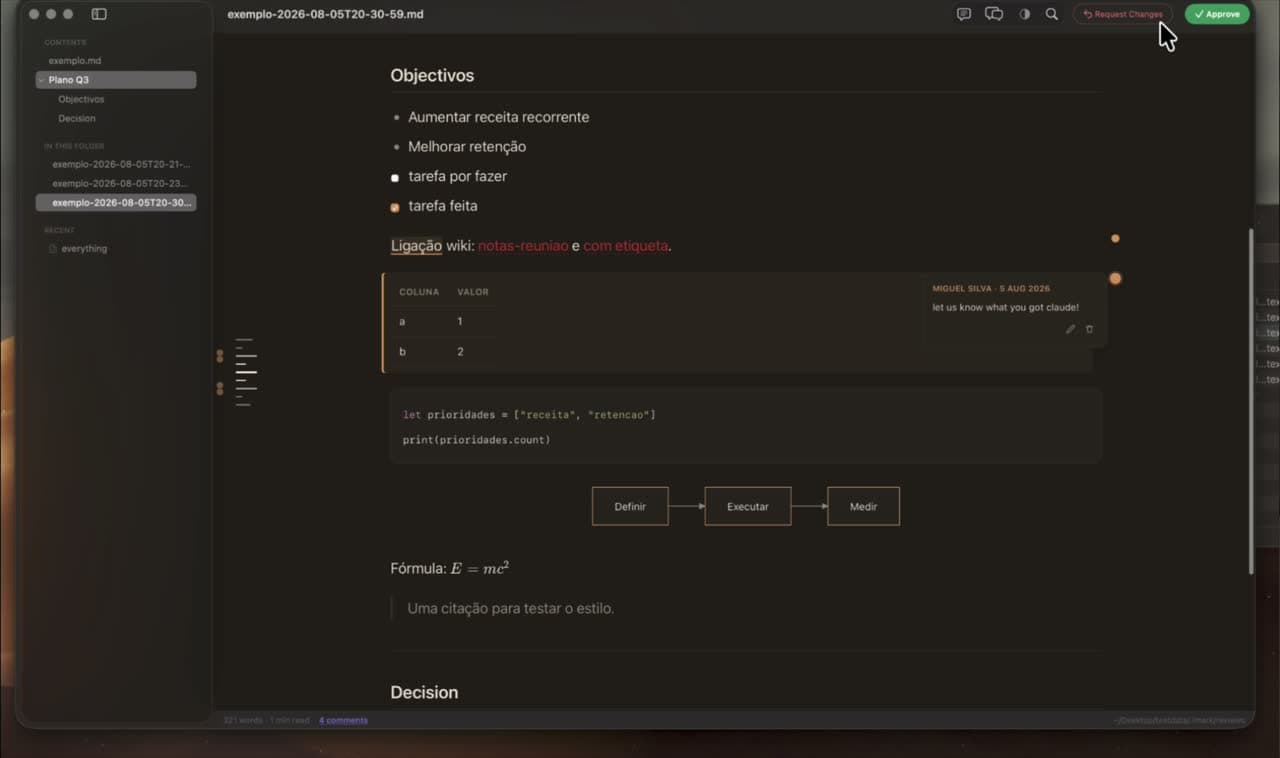
Select the words you disagree with, write in the margin, and this is what lands in the file. It is an HTML comment, so GitHub, Obsidian and every other Markdown renderer show the plan exactly as before — the note is only visible in the raw text and in Imark. The same format is covered in full on annotating Markdown for review.
## 3. Migration

The rewrite runs in a single pass over the table.

<!-- imark quote="a single pass over the table" by="miguel" at="2026-08-18T09:14:22Z"
Not against production. Batch it, 5000 rows at a time, and say what
happens when the job dies halfway through.
-->
What the agent reads when you send it back
Press Send Back and the command returns. The agent does not get a summary of your mood; it gets an instruction and then every note, each one carrying the words it was attached to, the section it fell under and the line above it. Six numbered steps follow the opening, and the first of them is to answer you before touching anything.
THE REVIEWER DID NOT APPROVE THIS. Do not rewrite anything yet.

Work through this in order. Do not skip to the last step.

1. Read every note below. Open the annotated document when a note needs the
   text around it: /Users/miguel/project/plan.md
2. Before changing anything, reply to the reviewer. Take the notes one at a
   time, quote the words each is attached to, and say what you understood and
   what you intend to do about it.
[…]

### Note 1 — on “a single pass over the table”
miguel, 2026-08-18 · line 42
Section: 3. Migration
> The rewrite runs in a single pass over the table.

Not against production. Batch it, 5000 rows at a time, and say what
happens when the job dies halfway through.
The note stays after it is answered
The agent adds resolved="2026-08-18" to the opening line rather than deleting the note. Imark shows it faded, the next round does not repeat it back, and the document keeps the record of what was asked.
Approve still carries notes
Approving returns "APPROVED — the reviewer accepted this" along with anything you wrote. Small corrections do not have to cost a round trip.
An anchor that moved is flagged
If the quoted phrase is no longer in the document, the note comes back marked as an orphan and the agent is told to ask rather than guess what it referred to.
Reviewing the plan without asking for a file
There is also a hook that catches plan mode itself. Set one variable and leaving plan mode opens the plan in Imark and waits; commenting and sending it back denies the permission request and hands the agent your notes, so it revises instead of building.
export IMARK_PLAN_REVIEW=1
It is off until you set it
Several review tools hook the same ExitPlanMode event, and two blocking hooks on one event is a session that never comes back. Turning it on is deliberate for that reason.
The plan gets a stand-in document
A plan in plan mode has no file of its own, so it opens as a temporary document that is deleted once you approve it. Everything else is reviewed on the real file.
Four ways to review a plan
All four are in use today and they are not competing for the same job. The first two need nothing installed.
| Approach | Where you read it | How you object | What is left afterwards |
|---|---|---|---|
| Plan mode on its own | The terminal window | Accept it, or type an objection into the chat | Nothing. The plan and the argument end with the session |
| A review prompt in CLAUDE.md | The terminal window | The agent criticises its own plan before showing it to you | A better first draft, and still no record of your reading |
| Plannotator | A browser tab on Mac, Linux or Windows | Notes on the plan, on HTML, and on code diffs and pull requests | Notes in Plannotator's own store, shareable with your team |
| Imark | A Mac app, as a rendered document | Notes anchored to the exact phrase you selected | <!-- imark --> blocks inside the .md file, committed with it |
Checked on 18 August 2026. Plannotator is open source under Apache 2.0 at github.com/backnotprop/plannotator and supports nine agents — Claude Code, Codex, Copilot CLI, Gemini CLI, OpenCode, Kiro, Droid, Amp and Pi. Imark supports Claude Code and Codex.
When Imark is the wrong tool
It is a narrow tool and there are four situations where something else is the better answer. Three of them point at the same place.
You are not on a Mac
Imark is a Mac app, and there is no Windows or Linux build planned. Plannotator runs in the browser on all three, and it is the right choice for a team that is not all on macOS.
The thing to review is code
Imark reads Markdown. A diff block inside a plan renders properly, but no command turns a branch or a pull request into a review. GitHub, your editor and Plannotator all do that, and this does not.
Your agent is not Claude Code or Codex
The plugin is built for those two. Copilot CLI, Gemini CLI, OpenCode and the rest are covered by Plannotator, not here.
You want to review it together, live
Notes travel inside the file, which means they travel at the speed of the file. There is no shared cursor, no presence and nobody watching you type — that is the trade for having no server.
Why the notes go in the file
A review that lives in a tool is a review you lose when you change tools. Because each note is part of the document, it shows up in the diff beside the paragraph it argues with, gets committed with the plan, moves between branches, and can be sent to a colleague who has never installed anything. If you want the plugin's commands and the rest of what it returns, the plugin page covers installing and using it.
Questions
What people want to know.
Can I comment on a Claude Code plan instead of rejecting it?
Not in plan mode itself, which offers only accept or keep planning. Ask the agent to write the plan to a file, open that file in a Markdown app that saves comments into the document, and each note comes back attached to the phrase it refers to.
What should I check in an AI coding plan?
Six things: the scope in one sentence, the named list of files it will touch, what it will deliberately not do, how it will show the change works, how to undo it, and what counts as done.
Does plan mode let me approve part of a plan?
No. Plan mode treats the plan as one decision. Approving most of it while correcting one paragraph needs a review that can attach a note to that paragraph.
Where do the review notes end up?
Inside the Markdown file, as HTML comments next to the quoted phrase. Other renderers ignore them, so the plan reads normally on GitHub while the notes stay in the raw text and in Git history.
Is the plan uploaded anywhere?
No. Imark opens the local file on your Mac, and the agent reads the notes back out of it. There is no review server, no account and no upload.
Does this work with Codex?
Yes. The same plugin covers Claude Code and Codex, and both read the notes through the same structured format.
Is there a Windows or Linux version?
No, and there is no plan for one. Plannotator is the browser-based alternative that runs on Windows and Linux, supports nine agents, and reviews code diffs as well as plans.
Keep exploring Imark
Claude Code and Codex plugin
Markdown Review Plugin for Claude Code and Codex
Install the free plugin that opens an agent's Markdown on your Mac and waits: two commands, an optional plan mode hook, and what each one hands back.
Read the guideMarkdown review comments
Annotate Markdown for Review: Notes Inside the File
Annotate a Markdown file by commenting on exact phrases. The notes save inside the .md, travel through Git and email, and stay invisible in every other viewer.
Read the guideOpen .md files on Mac
How to Open a Markdown (.md) File on Mac: 4 Ways
Four ways to open a Markdown file on a Mac, compared: TextEdit, an editor preview, Quick Look in Finder, and a free viewer. Plus how to set the default app.
Read the guideRead Markdown like a document.
Download Imark for a focused Markdown reader that also lets you fix a line when you need to.
Download for macOS