Open .md files on Mac
Open .md files on a Mac as documents, not source code.
An .md file is plain text, so a Mac will open it with something, just usually the wrong thing. There are four ways to read one, and the right choice depends on whether you want to edit the syntax or read the finished document.
macOS 14+ · 6.7 MB
Updated
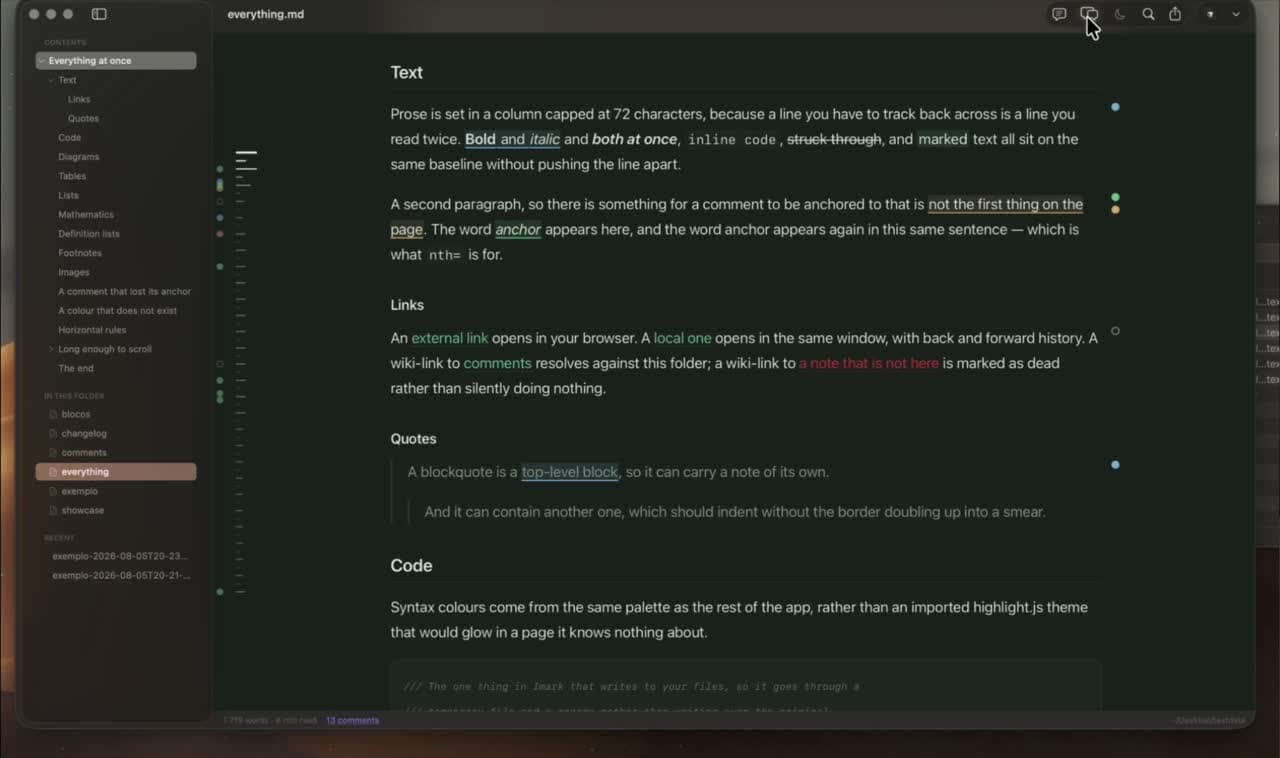
Four ways to open and view a .md file on a Mac
All four work today, on any Mac, and none of them costs anything to try. Only two of them show you a document instead of syntax.
1. TextEdit
Double-click and it opens, showing raw plain text: hashes, asterisks, pipes and code fences. Fine for a quick look at a short file, painful for anything structured.
2. A code editor preview
VS Code, Cursor and Zed render a preview beside the source. In VS Code the shortcut is Shift-Command-V. Good while you are writing, heavy if reading is all you need.
3. Quick Look in Finder
Select the file, press the space bar, read. This needs a Quick Look extension, and it is the fastest route by a distance once installed.
4. A dedicated Markdown viewer
Opens the file as a clean document, follows edits made elsewhere, and keeps tabs, an outline, search and PDF export for longer reading. The comparison covers the ones worth knowing.
Open a Markdown file from Terminal
If you are already in the folder, opening a file from the command line is faster than going back to Finder. The open command is built into macOS and hands the file to a Mac app rather than printing it in the terminal.
open -a Imark notes.md    # open it in a named app
open notes.md             # open it in whatever app owns .md
open -e notes.md          # open it in TextEdit, as raw text
open -t notes.md          # open it in your default text editor
open -R notes.md          # reveal it in Finder instead of opening it
open -a
Names the app. Quote the name if it has a space in it, as in open -a "Visual Studio Code" notes.md. The app does not have to be your default for .md, so this is the way to view one file somewhere else without changing anything.
open on its own
Uses whatever app currently owns .md files. That is TextEdit on a clean Mac, and Xcode on a Mac with Xcode installed, which is where most of the surprise comes from.
open -e and open -t
Both force plain text. The -e flag always means TextEdit; -t means whichever app is registered as your default text editor, which is TextEdit unless something else has claimed the role. Use either when you want to see the Markdown syntax rather than the rendered document.
Reading it in the terminal instead
cat notes.md prints the raw text and less notes.md pages through it. Neither renders anything, but they answer the question when you only need to check what is in the file.
How to change the default app for .md files on a Mac
Once you have chosen, tell Finder about it: select a Markdown file, press Command-I for the Info window, choose the app under Open with, then click Change All and confirm. Every .md file opens there from then on, including ones you double-click inside a cloned repository. Change All is the step people miss — without it you have changed one file, not the file type.
Why double-clicking a .md file opens Xcode
On a Mac with Xcode installed, Markdown files get Xcode's icon, open in Xcode on a double-click, and show as source code with line numbers in the Finder preview. Nothing is broken. Xcode registers itself as a handler for .md when it is installed, and because it is the newest app to claim the type, it wins. It happens to people who have never opened Xcode on purpose, because installing the command line developer tools or a large IDE update can pull it in.
The fix is the Info window
Select any .md file, press Command-I, pick the app you want under Open with, then click Change All. Xcode keeps working for everything else; it simply stops owning Markdown.
The Finder preview is separate
Changing the default app does not always change what the space bar draws, because the preview comes from a Quick Look extension rather than from the default app. The Quick Look guide covers the switch in System Settings and the reset commands.
It can come back
A macOS or Xcode update can reclaim the type. If your Markdown files suddenly wear a hammer-and-blueprint icon again, it is this, and Change All fixes it again in ten seconds.
The other Markdown file extensions: .markdown, .mdown, .mkd and .mdx
Markdown never settled on one extension, so the same kind of file arrives under half a dozen names. All of them are plain text and all of them hold the same syntax; only the ending differs, and the ending is what decides which app opens the file.
.md
The one everyone uses, and the only one you can rely on other apps and services recognising. If you are naming a new file, name it .md.
.markdown, .mdown, .mkd
The older spellings, still common in long-lived repositories and in files exported by older blogging tools. Identical content. Imark opens and previews .md, .markdown and .mdown; for a rarer one, use the Info window to point that extension at the app you want, or rename the file to .md.
.mdx
Not plain Markdown. MDX is Markdown with JSX components mixed in, used to build documentation sites, so a file can contain import lines and tags like <Callout> alongside the prose. A Markdown viewer renders the prose and cannot render the components, because they only mean anything to the website that builds them.
.mdc and .rmd
Two more you will meet in passing: .mdc is a Cursor rules file and .rmd is R Markdown, which mixes prose with R code meant to be executed. Both read as Markdown; only the parts that are meant to run are lost.
View a document while you keep writing in your editor
A viewer is not a replacement for your editor. Leave the document open in Imark on one half of the screen while you write in Cursor, VS Code, Zed or Vim on the other. The rendered view follows every save and holds your reading position, so you are not scrolling back after each change. This is also the answer for a file an AI coding agent is writing while you watch: the document updates as it goes.
View Markdown with tables, diagrams and maths intact
The files that most need a real viewer are the ones full of structure: GitHub-flavored tables, task lists, syntax-highlighted code, Mermaid diagrams and KaTeX maths and local images. That is where TextEdit stops being enough, because a wide table becomes a wall of pipe characters and a diagram becomes twenty lines of code. Imark renders all of it, in the window and in the Finder preview, offline and for free.
Questions
What people want to know.
What is an .md file?
A plain-text document written in Markdown. The source stays readable, and a renderer turns the syntax into headings, lists, links, tables and code blocks.
Can Preview open Markdown files on Mac?
No. Apple Preview handles PDFs and images, not Markdown. Use Quick Look with an extension, or a dedicated viewer.
How do I open an .md file without installing anything?
TextEdit opens it as raw text, and any code editor you already have will render a preview. For a rendered view from Finder you need a Quick Look extension.
How do I make .md files open in a specific app?
Select the file in Finder, press Command-I, pick the app under Open with, then click Change All.
Will opening the file change it?
No. Imark opens in reading mode and does not change the file. Click the pencil or press Command-E when you want to edit it.
How do I open a Markdown file from Terminal on a Mac?
Run open -a Imark notes.md to open it in a named app, or open notes.md to use whatever app currently owns .md files. open -e notes.md forces TextEdit and shows the raw syntax.
Why does my .md file open in Xcode?
Xcode registers itself as a handler for .md files when it is installed, so it wins the double-click. Select a .md file in Finder, press Command-I, choose another app under Open with, and click Change All.
Is .markdown the same as .md?
Yes. .markdown, .mdown and .mkd are older spellings of the same plain-text format and hold identical content. Only .mdx is different: it is Markdown with JSX components mixed in for building documentation sites.
How do I view a Markdown file without converting it?
Press the space bar on it in Finder with a Quick Look extension installed, or open it in a Markdown viewer. Both render the document from the file as it is, and neither writes a second copy.
Keep exploring Imark
Markdown Quick Look for Mac
Quick Look Markdown on Mac: Free Space Bar Preview
Preview Markdown in Finder with the space bar. A free, open source Quick Look extension that renders headings, code, tables, Mermaid diagrams and maths offline.
Read the guideMarkdown review comments
Annotate Markdown for Review: Notes Inside the File
Annotate a Markdown file by commenting on exact phrases. The notes save inside the .md, travel through Git and email, and stay invisible in every other viewer.
Read the guideChoose a Markdown app
Best Markdown Viewer for Mac: 9 Compared (2026)
Nine Mac Markdown apps compared in 2026: Imark, MacMD Viewer, Marked, QLMarkdown, Typora, Obsidian, MacDown and iA Writer, with prices, Quick Look and Mermaid.
Read the guideRead Markdown like a document.
Download Imark for a focused Markdown reader that also lets you fix a line when you need to.
Download for macOS