Markdown review comments
Annotate Markdown, and keep the notes in the file.
Annotate a Markdown file the way you would mark up a page: select a phrase in Imark, write a note in the margin, and it saves inside the .md file as an HTML comment. The note travels through email, Git and file copies, and no other Markdown viewer shows it.
macOS 14+ · 6.7 MB
Updated
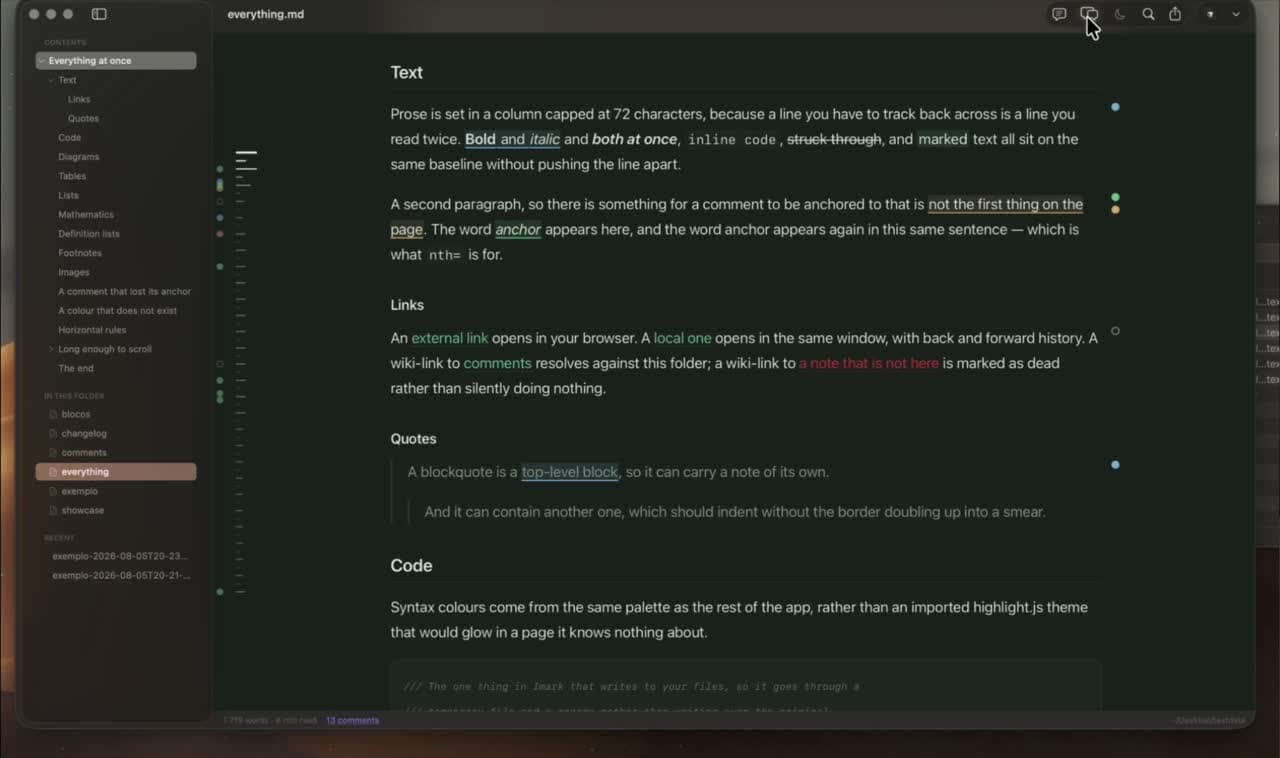
How to annotate a Markdown file on Mac
Open your .md file in Imark and stay in reading mode. You can add a review note to the rendered text without switching to the editor. The file stays ordinary Markdown, with each note saved as a structured HTML comment.
1. Select the words to review
Select a phrase in the rendered document, then click the speech bubble. The note attaches to those words rather than a line number.
2. Write and save your note
Enter your question or correction, then press Return. The quoted words become underlined and a dot appears in the margin. Click either to reopen the note.
3. Share the annotated file
Send the same .md file or commit it with Git. Another Imark user can open the notes; someone using a text editor can read the comment blocks in the source.
What a Markdown annotation looks like
This is the whole format, printed exactly as it lands in the document. The first note is still waiting for an answer. The second has been dealt with, so it carries a resolved date, and Imark shows it faded instead of deleting it.
The deadline is generous but achievable.

<!-- imark quote="generous but achievable" by="miguel" at="2026-08-02T14:31Z"
Achievable with which team? This needs a number, not an adjective.
-->

<!-- imark quote="ship in October" by="alex" at="2026-08-02T15:02Z" resolved="2026-08-03"
Agreed. The date moves to November.
-->
quote
The exact words the note is attached to. The anchor is the phrase itself, so it survives edits above it that would move a line number.
by and at
Who wrote the note, and when, as an ISO 8601 timestamp. Two people reviewing the same file keep their own names.
resolved
An ISO date added by whoever acted on the note. The request stays in the file as the record of what was asked.
Comment on a Markdown file without changing how it renders
GitHub, Obsidian, code editors and standard Markdown renderers all ignore HTML comments. The page reads exactly as it did before, the note stays in the raw text, and it reappears the moment the document is opened in Imark again.
Made for Git and for local-first work
Because the annotations are part of the document, they show up in a diff, get committed with the plan they refer to, move between branches, and can be sent to another person without a shared workspace, an account or a review service.
A Markdown review record that survives being answered
Resolved notes are not deleted. They are marked as resolved and shown faded, so the document keeps the history of what was asked and what was decided, without the active round being buried in old requests.
Reviewing what a coding agent wrote
The same mechanism is how Claude Code and Codex hand a plan over for approval: the agent opens the document, waits, then reads your notes back and works through them. There is no review server involved, and the plan is never uploaded anywhere.
Questions
What people want to know.
Why can’t I see the controls for adding comments?
In Imark Settings, select Show controls for adding comments. When this setting is off, the speech bubble and margin controls are hidden, but notes already saved in the file remain visible.
Do Imark comments appear on GitHub?
No. GitHub does not render HTML comments, so the page shows the original Markdown while the note remains in the source file.
Is this the same as a comment in Markdown syntax?
It uses the same HTML comment mechanism, but the purpose is different. These are review notes anchored to a quoted phrase, with an author and a date, written and read in the app rather than typed by hand.
Do comments require an account?
No. The comments are file content. There is no account, no cloud workspace and no separate annotation database.
Can I review a document with someone else?
Yes, by sending them the file. Their notes come back inside the document, and both sets of notes coexist with their own author names.
Can an AI coding agent read the comments?
Yes. Imark ships a skill that extracts the structured notes so Claude Code or Codex can answer each requested change and mark it resolved.
Keep exploring Imark
Reviewing an agent's plan
How to Review a Claude Code Plan Before Implementing
Plan mode lets you accept a plan or send it back. It does not let you say that step 3 is wrong. What to check in an agent's plan, and how to comment on one.
Read the guideClaude Code and Codex plugin
Markdown Review Plugin for Claude Code and Codex
Install the free plugin that opens an agent's Markdown on your Mac and waits: two commands, an optional plan mode hook, and what each one hands back.
Read the guideOpen .md files on Mac
How to Open a Markdown (.md) File on Mac: 4 Ways
Four ways to open a Markdown file on a Mac, compared: TextEdit, an editor preview, Quick Look in Finder, and a free viewer. Plus how to set the default app.
Read the guideRead Markdown like a document.
Download Imark for a focused Markdown reader that also lets you fix a line when you need to.
Download for macOS