Choose a Markdown app
The best Markdown viewer for Mac, app by app.
The best Markdown viewer for Mac turns on one question: are you mainly reading or writing? This page compares nine apps, with what each one charged on 18 August 2026 and a link to the page it charges it on. Imark opens as a reader and now handles quick corrections, but a writing app still wins when writing is the job.
macOS 14+ · 6.7 MB
Updated
Nine apps, and what each one costs
Read the table for the shape of the field, then the sections under it for who each app is for. Every cell comes from the app's own page or repository, and each app is linked below so you can check the price yourself before you take mine.
| App | Price | Quick Look | Reading window | Mermaid | Maths | Notes in the file |
|---|---|---|---|---|---|---|
| Imark | Free, MIT | Yes | Yes | Yes | KaTeX | Yes |
| MacMD Viewer | 19.99 USD once | Yes | Yes | Yes | Not claimed | Not claimed |
| Marked 3 | 2.99 USD a month, or 69.99 USD once | Sold separately | Yes | Yes | Not claimed | Not claimed |
| Marked QL | 9.99 USD once | Yes | No | Yes | MathJax | No |
| QLMarkdown | Free, GPL-3.0 | Yes | No, by design | Yes | MathJax | No |
| Typora | 14.99 USD once | No | Yes, as an editor | Yes, once enabled | Yes | Not claimed |
| Obsidian | Free | No | Yes, as a vault | Yes | MathJax | Not claimed |
| iA Writer | 44.99 EUR once, per platform | No | Yes, as an editor | Not claimed | Not claimed | Not claimed |
| MacDown | Free, MIT | No | Yes, as an editor | Not claimed | TeX syntax | Not claimed |
Checked on 18 August 2026 against each app's own site and documentation. Prices are the list price in the currency the seller quotes, before tax, and the Marked 3 figures are its introductory prices. Not claimed means the app does not advertise the feature, which is not the same as the feature being absent.
The five built around reading
These are the apps to compare if you write somewhere else and want a good window to read the result in. MacMD Viewer, Marked and QLMarkdown are all linked here, and so is Imark, which I wrote. Imark now lets you fix the open file, but reading remains its default and its purpose.
Imark, free and open source
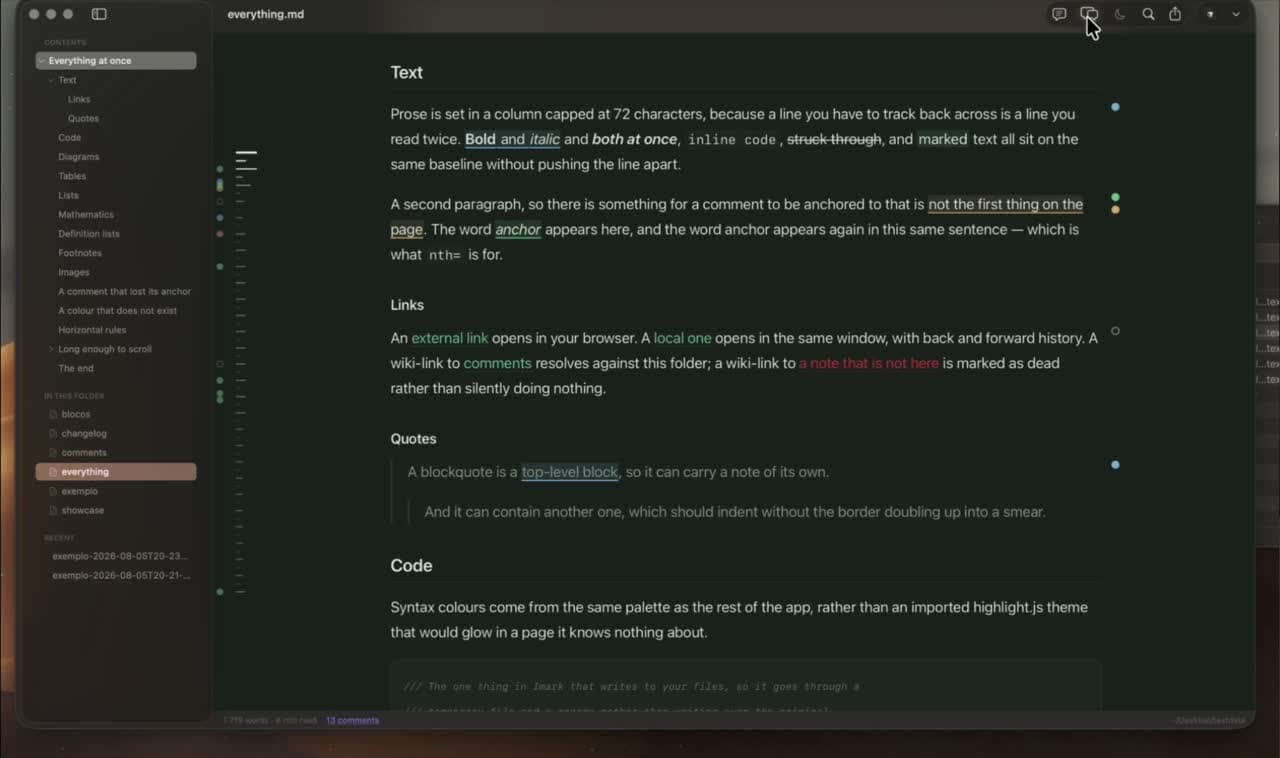
A reading window with tabs, an outline, search and PDF export, plus a Finder preview and comments written into the .md file. Click the pencil for a line-numbered text view when the file needs a quick correction; Open in hands a larger change to a full editor. Nothing is uploaded and there is no account. It is Mac only and the newest app on this list by a wide margin.
MacMD Viewer, 19.99 USD once
The closest match to Imark in shape: a native reading window, a Quick Look extension, Mermaid, live reload in about 50 milliseconds, 12 themes and a table of contents. It advertises neither maths nor comments. It is also on Setapp and Homebrew, and it has a 14-day refund.
Marked 3, from 2.99 USD a month
The veteran. Brett Terpstra has been building it for over a decade, and it goes far beyond rendering: proofreading tools, export styles, custom processors, and a mode that watches a folder and shows whichever Markdown file changed last. Marked 2 is still sold on the App Store at 13.99 USD and renders CriticMarkup, which is the nearest thing here to a review note that lives in the file.
Marked QL, 9.99 USD once
The Quick Look half of Marked, sold on its own. Press Space in Finder and get MathJax, Mermaid, highlighted code and a table of contents inside the preview. It needs macOS 13 or later, and it ships a free utility for when the wrong app wins the space bar.
QLMarkdown, free and open source
A Quick Look extension, a Shortcuts action and a command-line converter, under GPL-3.0, still shipping in 2026. Its own README says it is not meant as a standalone viewer, so take it at its word: it is the right answer when the Finder preview is all you want.
The four editors people read in anyway
None of these is a viewer, and all of them are here because the search results are full of them. If you write more than you read, one of them is a better answer than anything above. Typora, Obsidian, iA Writer and MacDown are the four worth knowing.
Typora, 14.99 USD once
One window, no split pane: the syntax turns into the formatting as you type. Mermaid and maths both work once you switch diagrams on in preferences. If you mainly write Markdown and want the writing to look like the result, Typora beats every viewer on this page, Imark included. A 15-day trial covers up to three devices.
Obsidian, free
A vault of local Markdown files with links, search, Mermaid and MathJax built in, and no sign-up. If your documents already live in a vault, adding a second app to read them in is the wrong move: Obsidian wins, and Imark opens the same files without disturbing it. Sync costs 4 USD a month and Publish 8 USD a month, both optional.
iA Writer, 44.99 EUR once
A writing app rather than a reading one, with a Preview mode, PDF and Word export, and a feature no one else has: it colours what you typed differently from what you pasted, so text from an AI stands out. Paid per platform, with a seven-day trial.
MacDown, free and open source
Source on the left, preview on the right, MIT licensed, TeX-style maths and Prism highlighting. Worth one clear warning: the last release, 0.7.3, is from January 2020. It still runs, and it is the honest choice only if you want a simple free editor and can live with an app nobody is maintaining.
The free routes you already have
Before buying anything, two of these are already installed and the rest cost less than a coffee. The Markdown preview in VS Code is Shift-Command-V, or Command-K then V for a pane beside the source, and it updates as you type. TextEdit opens any .md file as plain text, which is enough to read a short one.
Mac App Store previewers, 1.99 to 9.99 USD
Markdown Preview - Quick Look is 1.99 USD, Peekdown is 3.99 USD, Markdown Quick Look is 4.99 USD, Marked QL is 9.99 USD, and MD-Viewer is free. They install and update through the App Store, and most of them stop at the preview.
Your editor, at no extra cost
VS Code, Cursor and Zed all render a preview beside the source. It is heavier than pressing the space bar, and it puts reading inside the tool you were trying to look away from, but it costs nothing and it is already there.
Quick Look on its own
macOS shows .md files as raw text until an extension says otherwise. Any of the apps above that ship one will change that, and the Quick Look guide covers the setup and what to do when the preview refuses to appear.
Where Imark is the wrong answer
Three cases, and they are common ones. If you mainly write, use Typora or iA Writer; Imark is still a reader with a correction path, not a writing workspace. If your notes live in an Obsidian vault, stay in Obsidian. If you need this on Windows or Linux, Imark is Mac only by decision, so Typora, Obsidian and VS Code are the ones that cross over.
If the document is a plan from a coding agent
This is the one row where Imark is unusual rather than merely competent, so it deserves a contest. Plannotator is the real rival: 7,900 stars, Apache-2.0, browser based, and it handles code diffs and pull requests as well as plans across nine agents. It beats Imark on breadth and on reviewing code. Imark is narrower: a Mac app, documents only, and the notes are written into the .md file itself rather than into the tool, so the record survives in Git. Marked 3 covers the reading half by watching a folder of agent output, without a way to answer back. The agent review page explains the workflow, and annotating a document for review explains what the notes look like.
How this was checked
On 18 August 2026 I opened every product page linked above and read the price off the seller's own checkout, then opened the same folder of about 40 Markdown files, agent plans and READMEs mixed together, in the apps I could run. What separates them in practice is not the feature list: it is what happens to a document with a Mermaid diagram, a table wider than the window and an equation in it. Do the same with your own worst file before you pay for anything.
Questions
What people want to know.
What is the best free Markdown viewer for Mac?
For reading with a proper window, Imark, which is free under the MIT licence. For a Finder preview alone, QLMarkdown, free under GPL-3.0. Obsidian and MacDown are free too, but both are editors.
How much do Mac Markdown apps cost in 2026?
MacMD Viewer is 19.99 US dollars once, Typora 14.99, Marked QL 9.99, Marked 2 13.99 on the App Store, and Marked 3 from 2.99 a month or 69.99 once. iA Writer is 44.99 euros per platform. Imark, QLMarkdown, MacDown and Obsidian are free.
Should I use a Markdown viewer or an editor?
Use a viewer when reading is the job and a writing app when writing is the job. Imark opens as a reader and can fix the file in front of you, but Typora, Obsidian, iA Writer, or your code editor is the better home for sustained writing.
Which Mac Markdown apps preview in Finder?
Imark, MacMD Viewer, QLMarkdown, Marked QL and several App Store extensions from 1.99 US dollars. Editors generally do not, which is why people end up running both an editor and a viewer.
Is Typora or Obsidian better than Imark?
For sustained writing, yes: Typora shows the formatting as you type. For a vault of linked notes, Obsidian wins and Imark opens the same files without disturbing it. Imark is for reading documents written elsewhere, commenting on them, and fixing a line without leaving.
What should I test before choosing?
Open one of your own documents and check tables, code, images, diagrams, maths, navigation, live reload, Quick Look, offline behaviour and PDF export. Feature lists agree with each other more than the apps do.
Keep exploring Imark
Markdown Quick Look for Mac
Quick Look Markdown on Mac: Free Space Bar Preview
Preview Markdown in Finder with the space bar. A free, open source Quick Look extension that renders headings, code, tables, Mermaid diagrams and maths offline.
Read the guideOpen .md files on Mac
How to Open a Markdown (.md) File on Mac: 4 Ways
Four ways to open a Markdown file on a Mac, compared: TextEdit, an editor preview, Quick Look in Finder, and a free viewer. Plus how to set the default app.
Read the guideTechnical Markdown
Free Markdown Viewer with Mermaid and KaTeX for Mac
Read Markdown with Mermaid diagrams, KaTeX maths, highlighted code, tables and local images. Free, open source, and rendered entirely on your Mac, offline.
Read the guideRead Markdown like a document.
Download Imark for a focused Markdown reader that also lets you fix a line when you need to.
Download for macOS