Claude Code and Codex plugin
Install the review plugin for Claude Code and Codex.
This is the reference for the plugin itself: what is in the bundle, the two commands, the optional plan mode hook, and what each one returns to the agent. If you are still deciding what to look for in a plan, start with reviewing an agent's plan instead.
macOS 14+ · 6.7 MB
Updated
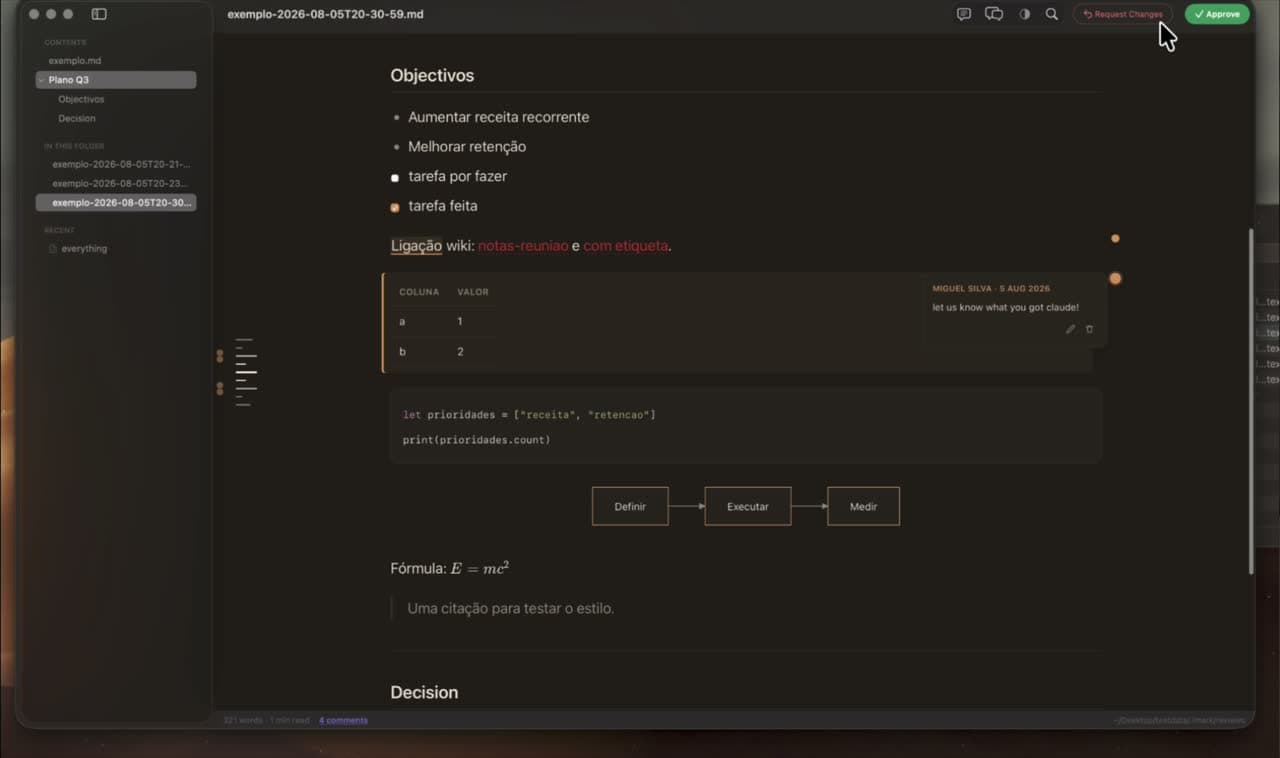
What the agent bundle includes
The files cover both halves of the workflow: understanding notes already in a document, and starting a new review round.
The comments skill
Teaches Claude Code and Codex to read anchored notes, handle notes whose anchor has moved, and mark completed ones as resolved instead of deleting them.
The imark-review command
Opens a document in Imark and blocks, waiting for your explicit decision rather than carrying on in the background.
Structured output
Returns the decision, the quoted anchor, the note, its author, the time, the section it falls under and the surrounding context.
Installing it, in two commands
The skill is a Claude Code plugin. It needs Imark in the Applications folder and Node 20 or later.
/plugin marketplace add migsilva89/imark
/plugin install imark@imark
Using it
Two commands, once installed. The first opens a document in Imark and blocks until you decide; the second returns the notes still waiting on something.
/imark:imark-review PLAN.md
/imark:imark-notes PLAN.md
A review gate before autonomous coding
Ask the agent to write the implementation plan first, then open it with the review command. It pauses while you check scope, architecture, risks, tests and completion criteria, and continues only once you approve or it has worked through every request.
Notes both people and agents can read
Each note is a structured HTML comment beside the phrase it refers to. Normal renderers hide it, Git carries it with the document, and the skill gives the agent the exact context it needs without any separate review service.
How this differs from a browser review tool
Other tools open the plan in a browser tab and keep the comments in their own storage. Imark opens the file itself, on your Mac, and writes the notes into the document, so the review survives the tool: the record is in the file, in the repository, in the diff. It is free and open source, with no server to run and no account to create.
Made for plans, specifications and RFCs
Use it for documents that need a human decision before work starts. It is not a code review tool: GitHub and your editor remain the right place to review a diff.
Questions
What people want to know.
Does the Imark skill work with Claude Code?
Yes. The bundle includes instructions and a blocking imark-review command built for Claude Code.
Does it work with Codex?
Yes. Codex uses the same comments skill to read the structured notes and follow the same plan review workflow.
Does the skill send my Markdown anywhere?
No. Imark opens the local file in the Mac app, and the notes stay inside that file as HTML comments.
What happens after I request changes?
The command returns your decision and the active notes. The agent answers each one, says what it changed, marks them resolved, and can open another round.
Is it free?
Yes. Imark and the agent skill are free and open source under the MIT licence.
Keep exploring Imark
Reviewing an agent's plan
How to Review a Claude Code Plan Before Implementing
Plan mode lets you accept a plan or send it back. It does not let you say that step 3 is wrong. What to check in an agent's plan, and how to comment on one.
Read the guideMarkdown review comments
Annotate Markdown for Review: Notes Inside the File
Annotate a Markdown file by commenting on exact phrases. The notes save inside the .md, travel through Git and email, and stay invisible in every other viewer.
Read the guideTechnical Markdown
Free Markdown Viewer with Mermaid and KaTeX for Mac
Read Markdown with Mermaid diagrams, KaTeX maths, highlighted code, tables and local images. Free, open source, and rendered entirely on your Mac, offline.
Read the guideRead Markdown like a document.
Download Imark for a focused Markdown reader that also lets you fix a line when you need to.
Download for macOS